Facebook launched M last week which lets you complete a variety of tasks, from finding information to making reservations, by messaging the assistant over Facebook Messenger. As Facebook’s David Marcus explains in his post, M sits between completely automated AI run services like Now and Siri and completely manual services like Magic, which lets it be a more useful than the former and more scalable than the latter. As Amazon found with Mechanical Turk, while the promise of AI is fantastic, humans are still pretty good at solving problems till that promise is realized.
But more than the functionality, the thing that struck me most was how simple messaging was almost the perfect interface to a lot of services, compared to the beautifully crafted app screens that so many of us spend so much time and money to develop.
Mobile platforms today have well defined design and interaction guidelines and app designers are left with the challenge of playing well within the guidelines but also come up with signature design and interaction elements that users like enough to choose that app over the flood of competitors. And as these become more elaborate, the cost of developing these apps keeps climbing even as people’s excitement about apps seems to be falling.
Could the simple UI of messaging apps make a lot of that effort irrelevant?
There have a few apps that have used the very familiar messaging UI as the primary interface for interacting with them:
Ethan was one of the first viral apps that allowed anyone to ask Ethan, just a random developer, any question and he would respond back.
I have already mentioned Magic is another interesting startup that lets you order anything at all by just sending them a message.
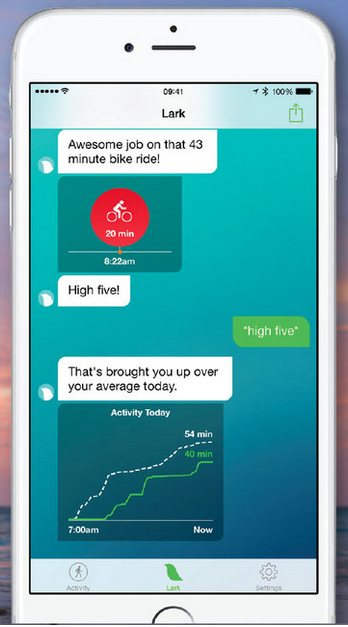
Lark is a fitness app that uses messaging interface and only allowing canned responses to allow you to track fitness metrics and log data like food intake.
Penny app has the same idea as Lark but is dedicated to the personal finance domain.
In Asia, a lot of apps already live within the messaging applications like WeChat as shown in the video below
Messaging UI also translates really well to non visual experiences, like apps for Amazon Echo.
Its surprising that right now none of the mobile platforms let you extend the core messaging services that come packed with the OS (Hangouts or iMessage). Facebook Messenger released its API this year though and it’ll be interesting to see what kind of services start to appear on top of it.
One of the iOS prototypes I had been working on recently reached a point where I was ready to run a small internal test with it. Looking around for tools to manage the process, most people I talked to mentioned TestFlight. I had used TestFlight before Apple’s acquisition to receive betas but never really ran the test process myself.
The process to add users to TestFlight is reasonably well documented. However, when trying to add one of my team members as an internal tester, we immediately ran into this error:
Turns out that person was also added as an internal tester to a different account. For alpha builds, Apple not only limits the number of developers that can be added as internal testers but also mandates that they are not part of a different internal beta test group.
Theoretically, we could create a provisioning profile for this and other developer devices that we’d like to test on, but the auto updates via TestFlight are really convenient. Some teams I talked to had implemented their own test management server to handle this, but it seemed like a lot of work.
It turns out, getting around this is rather simple. Unlike the app install management system that uses device UUIDs which makes that almost impossible to install unsanctioned apps, having an app managed by TestFlight only requires that user to get access to the welcome email (with the app link) TestFlight sends out when a new user is invited.
So basically you do this:
Create a new iTunes account for the user using an email address that person has access to and has never been used for iTunes (or just create a new email address)
Invite that new account to the alpha test.
When TestFlight sends the invite email, get that email forwarded to the email address that user has on the iOS device. As long as the invite email is opened on the device, TestFlight will start managing the alpha test process as you had wanted.
The big “whew” moment here was that the TestFlight invite is (at least for now) not tied to the user’s iTunes account that he/she is using for the AppStore on that device. In fact, the invite email has no idea of whom the invite is for and can be used by anyone.
That said, the whole requirement of one user being able to participate in only one alpha is needlessly restrictive. Hopefully Apple changes this in the future.
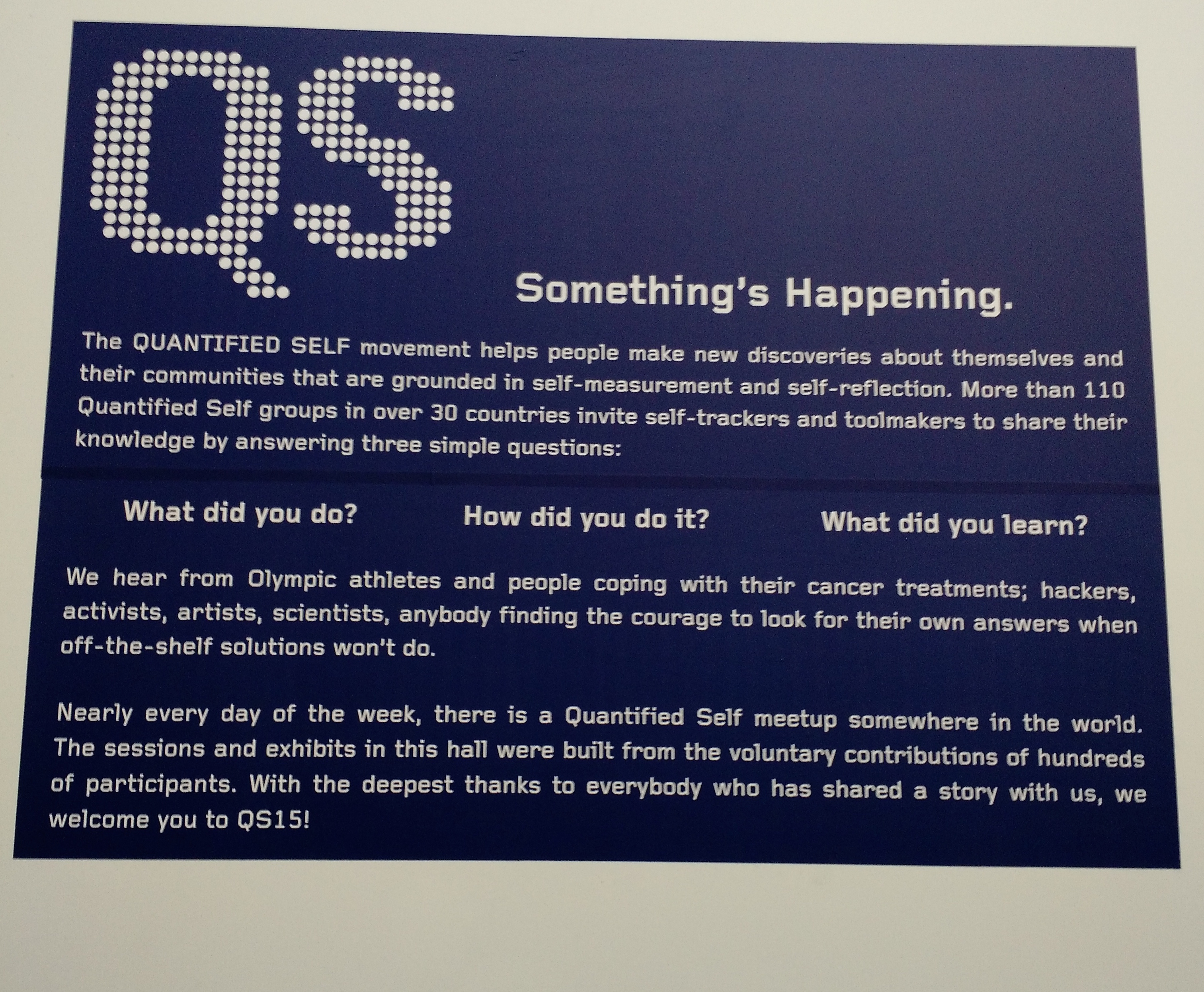
The 2015 QS conference was at Herbst Pavillion / Cowell Theater right on Pier 2 in San Francisco.
If you can’t measure it, you can’t improve it. – Peter Drucker
A few years ago I was introduced to a growing subculture in the U.S. that was really interested in numerically measuring a variety of aspects of their lives like steps, sleep, environmental conditions around where they lived, etc. and attempted to draw correlations from this data to improve some aspect of their lives. This was before the current explosion of fitness devices and collecting this data was a lot more difficult, and yet these individuals went through enormous effort often wearing clunky self-made devices to get access to the numbers they were looking for. The behavior seemed, at least by conventional definitions, not normal.
Today, at least a part of this behavior has seeped into conventional user behavior with the rise of measuring devices like Fitbit, smart watches etc and the constant running of ads emphasizing the importance of people tracking their own fitness. But the QS community continues to break new ground in identifying interesting metrics about themselves and finding creative ways to collect them.
A couple of weeks ago, the QS community had their annual conference in San Francisco and I was fortunate to be able to attend it as Comcast Labs, the group I work for, was one of the primary sponsors.
Motivations
The QS community is an interesting group of people that come together around their common interest of measuring personal data. I had assumed that it would be predominantly be full of technologists or statisticians, but I met people from a variety of backgrounds from artists to models to fitness instructors.
I feel I met 3 types of people there:
People doing it for pure curiosity, like measuring time spent on couches or watching TV, cataloging their travels or seeing if chat history could show when they fell in love with their now significant other.
People who were trying to deal with real or potential health issues like building apps to collect data to quantify effects of both disease and medication on their bodies
People who were using their their own data for artistic interpretations or visualization
The Data:
What was interesting was the sheer number of data points people were tracking. A lot of this data used to require medical grade equipment to measure but now can be measured with fair accuracy using off the shelf devices.
These included
Heart Rate Variability
EDA: electrodermal activity, also known as EDR or GSR, galvanic skin response
BMI
Blood pressure
Fat percentage
Macro Nutrients intake
Sugar intake
Hydration
Resting Metabolic Rate
Resting Heart Rate
Anaerobic threshold:
VO2Max
METs
EEG
Breathing patterns
Not all metrics were biological. There were also examples of people tracking environmental and social metrics that could influence their lives like:
Electric and magnetic fields in their environment
Expenses
Email volume and how it related to their stress levels
Questions and Answers
Getting data is only one part of the equation. The real challenge is to correlate this data to draw insights. There were a number of talks around people drawing such correlations which were interesting cause a few missed that old adage about correlation not being causation (Did you hear the joke about data proving pirates causing global warming? Cause if you plot the rise of piracy and global temperatures on a graph, they correlate pretty closely). The other challenging aspect is the whole Heisenberg Principle about the very act of measuring something changing what you are measuring.
Even so, the speakers at the event had some really interesting talks on a trying to answer a lot of questions via data, such as:
How does exercise affect metrics like blood pressure or mood?
How do different diets influence mood, health or different ailments?
How does zapping your head with controlled electric current affect your brain?
How does stress affect heart rate variability?
How much does it cost to eat healthy?
How happens to your expenses if you don’t have a place to live for a year?
Most of the community uses Google spreadsheets to analyze their data, though there was also a talk by a developer at Tableau software about how he used that to analyze his data. But the community is small enough that right now there aren’t enough general purpose statistics oriented tools built for them. At this point just getting data in a non proprietary format like CSV is a challenge (most fitness related services like Fitbit, Google Fit or HealthKit offer their data via APIs but only a fraction of the audience here were software engineers). Other software tools like Beeminder, Zenobase, Gyroscope, CompassRescueTime were also interesting to see. New wearables like Spire for tracking breathing patterns also piqued my interest but having acquired one, I feel like a second wearable is just one (heh, maybe even two) too many.
Spire is a wearable that clips around your waist and tracks your breathing patterns and guides you towards a more calm breathing pattern
In conclusion
The QS conference was quite an experience, specially since I wasn’t that aware of all the stuff happening there and everything felt new. While a lot of it felt a little “out there”, it was the same feeling I got 3 years ago when I first heard about these guys tracking their steps and hours of sleep. It’ll be interesting to see how much of this data measurement becomes commonplace in the coming years.
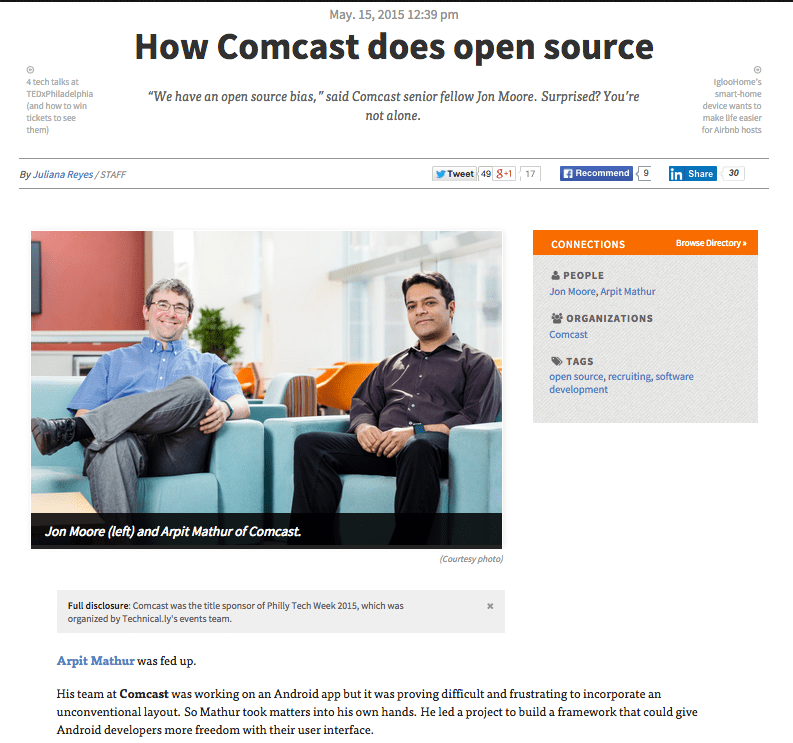
Jon Moore and I were interviewed recently by Technically Philly on running open source projects in Comcast. The post came out today. Its always exciting to see your name in print…or the digital equivalent thereof 😉
I am currently at SXSW, my forth trip to the event. As conferences go, I find SXSW pretty enjoyable and always come back with a couple of new ideas that I can play with. However, as much as I like the event, trying to manage your schedule on the SXSW app itself is pretty annoying.
At the top of the app as it exists currently, all days are listed in a horizontally scrollable tabs. Clicking on a particular day lists the events for that day in a vertical list, which is typical for apps of this kind of application (though the SXSW app does make it additionally worse by not even adding sectional headers marking the division between different time slots). You can star individual sessions and view them in a separate “My Events” section of the app.
Its hard to quickly glance how your schedule is across time slots. Even the My Events section of the app doesn’t group your events by time.
Location is a big factor when choosing my events. I often choose an event I might be less interested than another one if it is closer to where I am
Given my irritations, I did a quick web app for SXSW by scraping their schedules. Here is how my app looks like:
Because the switching the day of the event is not so important, the app lets you do that using a drop down chooser thats placed on the header of the app. This leaves the horizontal axis to break the day out in terms of time slots. Within each time slot, the events are grouped by location. Adding an event as a favorite moves it to the top and changes the background color so that you can quickly scan events you have marked as interesting really quickly. At this moment, these events are saved locally on the browser’s localStorage space and do not sync across devices.
The app was a quick experiment and of course needs a lot more improvement like global filters by event type and location, cross device save, etc. There are also some HTML glitches that I need to fix, like the whole page scrolling slightly within the viewport in the mobile experience. The code is all on Github if you’d like to add those features or fix bugs.
For the last couple of years I have been using WhatsApp to keep in touch with my friends and family in India. While it doesn’t seem to be very popular in the US, its amazing to see how almost everyone I know in India is on it. However till this week, it remained solely a mobile app, which is fine in the whole “think mobile first” world, but does get annoying when you are sitting in front of a PC and still have to dig out your phone to respond to a message (or talk into your Android Wear Watch 😉 )
However as I started reading up on it, it turned out to be a pretty bizarre web app. I read a message by the CEO of WhatsApp claiming Apple tech did not offer them the right hooks for their implementation (basically apps running in the background and some unique feature of Android push notifications)
WhatsApp CEO Jan Koum: "Apple’s “platform limitations” prevent the desktop version from being available to iOS users" http://t.co/0Se2EqLCGq
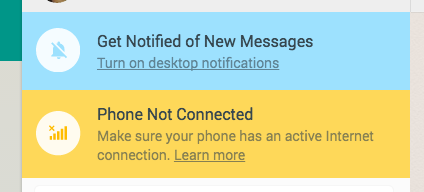
It turns out that actually the “web app” was just a visual shell with the messages being sent back and forth by the phone app itself, something easy to verify by just putting your phone in Airplane mode which brings up this notification on the app:
The other interesting bit of titbit is why the app was Chrome only. What chrome-only tech was WhatsApp relying on? The answer, after a bit of googling, turned out to be Chrome Push Notifications. Basically, it seems like their architecture is very similar to apps like MightyText or PushBullet that have started to bridge the Android phone and desktop Chrome experience.
Its a pretty interesting implementation. One theory on why WhatsApp decided to go with this implementation is that it might have something to do with their encryption system and rather than re-implement that on the browser in JavaScript, its just easier to send that message via the phone, if you can get that message to the phone locally from the browser. Making the desktop UI just a dumb presentation layer could have a lot of advantages by reducing the number of clients you have to support.
It almost seems that we are now starting to move towards a world of Remote UIs: apps running on the one machine (usually your phone) but pushing the interfaces to another device that may be more contextually appropriate. Some other examples of this include:
The Apple Watch and CarPlay both run apps that do all the compute on the phone and present the visuals on to the watch or car’s dashboard display
The Android Wear / Android Auto requires a little more computational capacity on the remote display, in both cases they need to be running Android as well with only data moving back and forth. But the core idea remains the same.
While a few folks are crying foul about this implementation, I am kind of a fan. Besides the lack of multiple code bases for desktop and mobile, this setup restricts the number of devices you are signed in to. Since your phone is the one channel back to the servers, it lets you authenticate at one place and just use the most appropriate screen around.
It’ll be interesting to see if more apps adopt this architecture. Its unusual but seems pretty cool. It also might be the beginning’s of Android’s answer to iOS’s Continuity feature.
For the last 5 months, I have been working on an iOS project using Swift. Its been an interesting experience. While the language has some parts I like, personally I feel mostly disappointed at the complexity of the language cause, honestly, I don’t see how they help me write apps faster.
A friend of mine described Swift as a “Mirror Programming Language”: everyone who looks at it sees what he wants to see, which I find pretty true. I have had JavaScript developers see it very similar to JavaScript, Scala devs see it like Scala, Ruby devs see it like Ruby etc etc. To be fair, Swift probably took elements from all of the above, but its still interesting to hear the conversation.
My Hopes for Swift
I attended WWDC this year and was there during the Keynote when Apple announced Swift.The moment they showed a swift program with variables defined with the “var” keyword, I got really excited. I am actually a fan of JavaScript, which I generally recommend as a first language to learn for folks trying to get into programming (My only gripe has been lack of a formal definition for “Classes” which seems to be coming in ECMAScript 6). Additionally, Apple introduced “Playgrounds”, an interactive workspace very inspired by Bret Victor’s work as seen in the video below. Bret Victor is another of my heroes, one of the few developers who questions why programming today is still stuck in the text-and-compiler metaphor that was invented over 40 years ago. If you haven’t already, do watch the video below where he goes through some of his thinking.
But between a js-like syntax and an interactive playful workspace, I thought Apple had finally cracked it and democratized programming. On the flight back, I was so sure that Swift would be the programming language that I would now recommend to students going forward.
Working with Swift
Working in Swift the last few months, my opinion has changed a lot. The simplicity that (I thought) Swift promised never really happened and I find the language a lot more laborious to work with than even Objective-C which I generally liked.
Optionals?: Swift introduced Optionals that let you explicitly declare that certain variables may not hold data at all times. I am not sure what kind of bugs this is helping me avoid. And I am tired of unwrapping Optionals all over my code. Additionally, Optionals introduce a whole new slew of potential errors.
Type casting in Swift sucks. Swift does nothing automatically. Want to add an Int to a CGFloat? Well make sure the you convert your Int to a CGFloat yourself. This gets very annoying when you want to do things like manipulate view dimensions by multiplying with and adding/subtracting constants. I have reached a point where I only do one simple math operation per line.
Unexpected types: Why the hell does array[1..10] return a Splice object that you have to cast to an Array?! If I am asking for a part of a collection, just return it as the same data type.
Way too much: There is a lot of smart in Swift, and I am sure it attracts a certain kind of personality. Operator Overloading, Literal Convertables, etc etc. But personally I find very little of that really valuable.
Readability: Personally I ding a programming language for every meta character in code (?, ! etc) as I think they generally hamper readability. Swift has a lot of that.
XCode 6 is terrible: XCode has gotten really bad. SourceKit editor crashes all the time, errors make no sense, quick fixes don’t actually fix (video below). Its surprising how poor XCode stands up to other modern IDEs.
Swift has some nice parts too. Playgrounds/REPL are actually useful to debug small pieces of code and the lack of header files is a blessing, but besides that, I am not too excited by it. To me Swift is a disappointment, something I had hoped would open mobile development to a larger pool of people just getting into programming. Instead its another language that seems to have been developed by very smart people for very smart people. Nothing wrong with that, its just not what gets me excited.
Swift looks interesting, but in all of Overcast’s development so far, I’ve never run into a problem that’s the language’s fault that Swift would have handled better. It appears to solve problems I don’t have, to gain small (and still theoretical) optimizations that I don’t need, at the expense of many Objective-C features I really like.
About a year ago I moved my WordPress powered blog from GoDaddy’s shared hosting to an AWS machine. The performance of my WordPress install on Godaddy was getting from bad to worse, something I that got really obvious when I configured a Pingdom account to alert me every time the site was unreachable. Around that time I was also getting interested in learning how AWS works and so it seemed like moving the blog on AWS seemed like a good idea. A year in, I am moving my blog again, just letting WordPress host the entire thing for me this time. I figured I’d share the reasons why:
Managing the traffic peaks: I ran my blog on an AWS t1.micro instance which worked pretty well on a regular day. However every once in a while if my traffic spiked (say if a post reached Hacker News or Reddit), the site would go down. I could configure AWS auto scaling but that also meant spending more money. I ultimately ended up putting a free instance of CloudFlare in front of the blog and that seemed to work well, but still left me feeling uneasy.
Cost: Running the blog on GoDaddy cost me around $70 a year. My AWS bill used to be around $17 a month which is around $200 a year, a definite jump from what I was spending on GoDaddy but I put it down to cost of learning. The Wordpress account with custom domain costs $99 a year, so I don’t mind the savings, especially considering I hadn’t really been doing too much server management for the last 6 months.
Trusting backups: I had setup a WordPress backup to Dropbox plugin to make sure if I accidentally wiped the database or something, I’d always have the data to go back to, but I never verified the backup after the initial couple of weeks. Over time I got a lot less confident if that plugin was actually working, and kept putting off verifying the backup (trying to bring up a new wordpress instance with just that data). Moving to a hosted WP instance eliminates that doubt.
All in all, the AWS experiment was fun and educational, but it made me started blogging less since I was always worried that I’d have to monitor the site each time I added a post. Moving to WP hosting feels like a good decision though I do think I broke some Google URLs during the migrations, mostly because my blog moved from a subfolder (arpitonline.com/blog/*** to just arpitonline.com/***). I am fine with that, I hated the blog subfolder anyway. If you do subscribe to my feed, you might have to update your RSS readers to the new feed link.
This week I announced FreeFlow, a UI framework for Android, that I lead the development on at Comcast for the last 6 months or so. The project started after repeated frustrations in building truly unconventional layouts in Android. Most of the times, developers end up hacking the default Layouts in terrible ways trying to get layouts like the designers I work with come up with. Another problem with such layout nesting is that layout animations are next to impossible to get working right.
FreeFlow solves these problems by separating the layout logic from the core View containers (ViewGroups). The idea is very similar to UICollectionViews in iOS. Additionally as layouts are transitioned or data changed, the developer gets full control over the transition animations. The video below shows some of the kind of effects that FreeFlow enables:
The library was announced 3 days ago on Google+ and Twitter. Its exciting to see that in a very short time, the project has been starred over 600 times, forked over 50 times and is seeing some initial contributions back already. I also just started a Google+ community for developers looking for help or offering feedback to the the project.
Its also exciting that this is Comcast’s first Android open source project, and that we now have a process to do that. Of course that leads to some interesting comments on Twitter. The one below might be my favorite conversation thread:
I am excited to see where FreeFlow could go in the future. Its already solving a core need in internal Comcast projects and hopefully will lead to a new breed of interactive applications on the Android platform.
Just in case anyone else is ever foolish enough to try writing a World Clock app without realizing how crazy it is, do watch this video:
I was foolish enough to try writing one (not using a third web party api) 3 years ago. Its still available on the Play Store (the source is available on Github) and works at least for the few countries I keep track of, though I am sure its buggy for others.









 Code Zen